The Layer Properties tab provides commands filtering objects in layers.
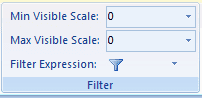
Figure: The Filter function
Max Visible Scale
Set the maximum visible scale for the layer. If you zoom in beyond this scale, the layer will not be visible.
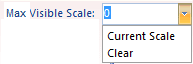
Figure: Set max visible scale
You can directly type a scale in the Max Visible Scale combo box or click the drop-down arrow and select a scale from the list. Also, you can click Clear in the drop-down list to clear the max visible scale setting.
Min Visible Scale
Set the minimum visible scale for the layer. If you zoom out beyond this scale, the layer will not be visible.
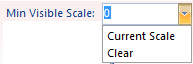
Figure: Set min visible scale
You can directly type a scale in the Min Visible Scale combo box or click the drop-down arrow and select a scale from the list. Also, you can click Clear in the drop-down list to clear the min visible scale setting.