



Setting Planar Coordinate System
Function Description
The Coordinate System Settings dialog box is used to set the planar coordinate system information for the selected data source, dataset, or current map in the current workspace.
Steps
- In the Start tab -> Data Processing group, click the Projection Settings button to open the Coordinate System Settings window.
- On the left side of the window, select the coordinate system type as Planar Coordinate System, as shown in the figure below.
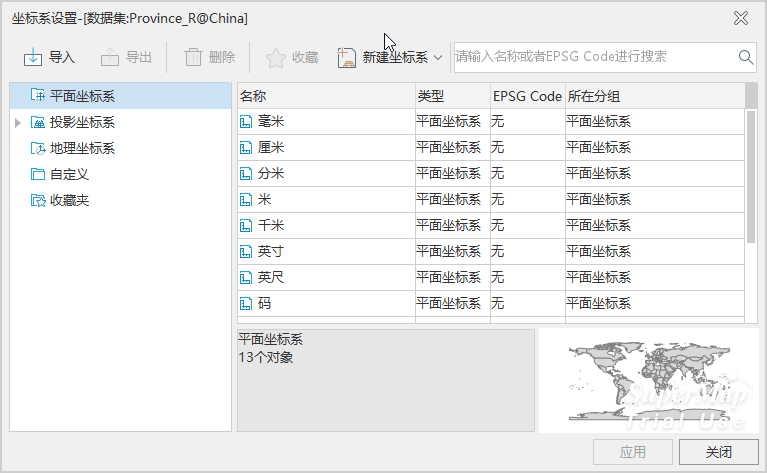
- On the right side of this window, users can modify the unit of the planar coordinate system or create new settings for the coordinate information of the selected data source or dataset. For specific setting methods, please refer to Projection Settings.
- After selecting the planar coordinate system, click the Apply button to apply the selected planar coordinate system to the currently selected data source, dataset, or map.
Related Topics
New Geographic Coordinate System
New Projected Coordinate System
Created by EPSG Encoding Coordinate System
Set Projected Coordinate System
Set Geographic Coordinate System