



Result Operations
Instructions
After the simulation analysis is completed, you can perform the following operations using the "Result Operations" function:
-
Load Calculation Results: Load the results from the last calculation into the scene.
-
Query Point Results: Query the simulation calculation results for each point in the analysis area.
-
Import NetCDF Data: Import NetCDF data recording the water flow process and generate it as S3M tile data.
Result Loading
Function Entry
- Flood Simulation tab->Result Operations group->Result Loading button
Steps
- Click the Flood Simulation tab->Result Operations group->Result Loading button to load the S3M tile data generated from the most recent simulation analysis into the scene.
Result Query
Function Entry
- Flood Simulation tab->Result Operations group->Result Query button
Steps
- Click the Flood Simulation tab->Result Operations group->Result Query button.
- Move the mouse into the scene, click the left button at any position within the simulation analysis area, and the result query panel will pop up, displaying all calculation results for that point.The result query panel includes the following two display modes:
- Data Table: Displays the calculation results for each time step at that point in a table, including the following columns:Time, Water Level (m), Water Depth (m), Velocity U (m/s), Velocity V (m/s), Velocity (m/s).
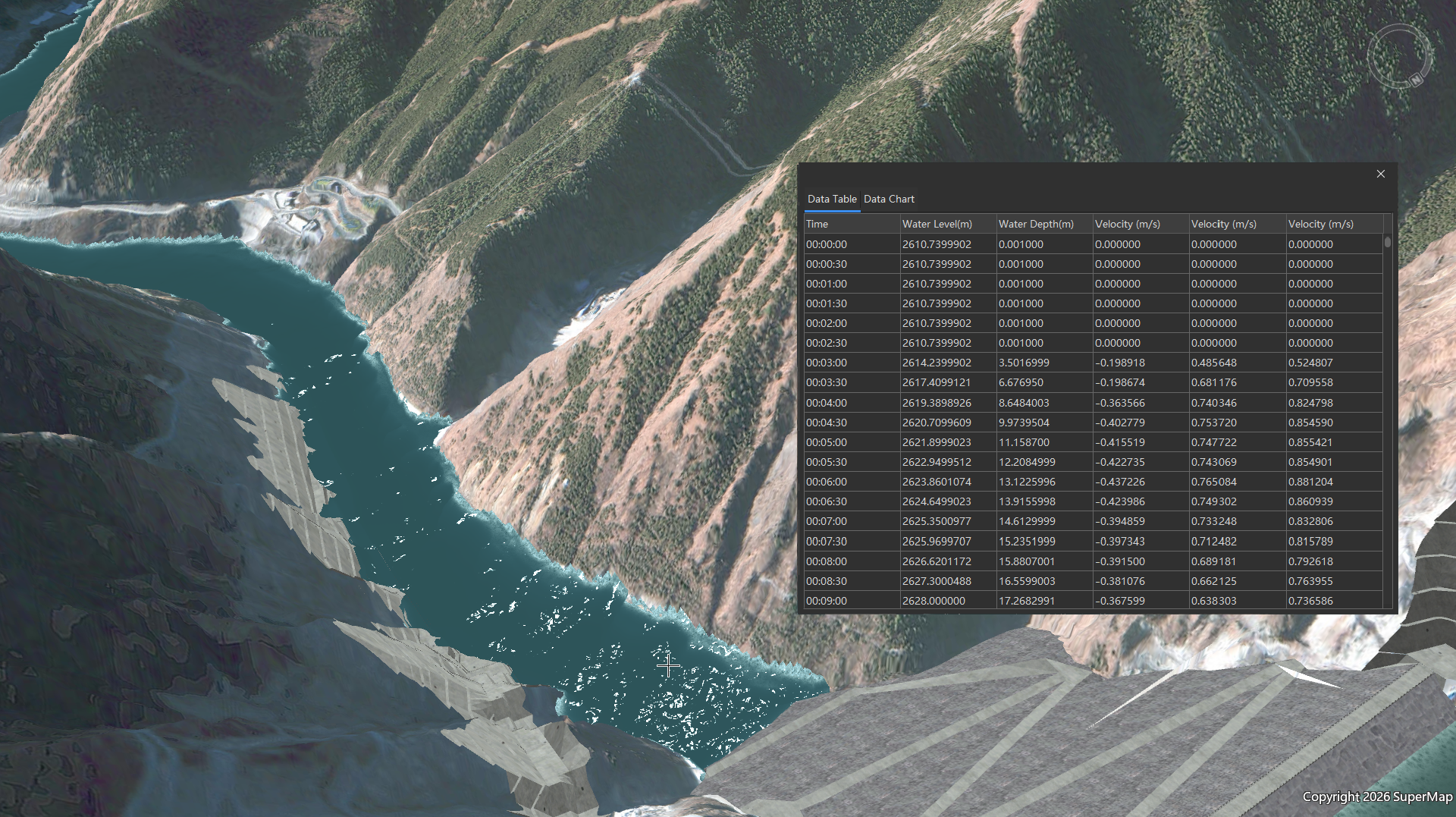
- Data Chart: Intuitively displays the trend of calculation results over time at that point in a line chart.
- Data Table: Displays the calculation results for each time step at that point in a table, including the following columns:Time, Water Level (m), Water Depth (m), Velocity U (m/s), Velocity V (m/s), Velocity (m/s).
Import NetCDF
If you already have NetCDF data calculated based on a two-dimensional hydrodynamic model, you can use the "Import NC" function to convert it into S3M tile data and dynamically display it in the scene.
Function Entry
- Flood Simulation tab->Result Operations group->Import NC button
Steps
- Click the Flood Simulation tab->Result Operations group->Import NC button.
- In the "Result Export" dialog box that appears, set the following parameters:
- NC File: Select the NetCDF data (*.nc) to be imported.
- Tile Name: Set the name of the resulting S3M tile.
- Storage Path: Set the save path for the resulting S3M tile.
- After setting, the system will generate S3M tiles in the specified path and automatically load them into the scene for you to dynamically view the results.
 Notes:
- Before querying results, ensure that the simulation results have been loaded into the current scene and that the query location is within the simulation analysis area.
- When importing NC, ensure that the NetCDF file records water flow process data and complies with the UGrid conventions.
Related Topics
- Overview of Flood Simulation
- Configure Simulation Layer
- Draw Elements
- Perform Simulation Analysis
- Display Results