



Recognize Feature
Instructions for use
The Recognize Feature function can be used to recognize the object of the chart loaded into the map. By clicking, you can quickly view the Attributes of the object.
Operation steps
- Load an S-57-compliant or CJ-57-compliant Chart Group into a Map.
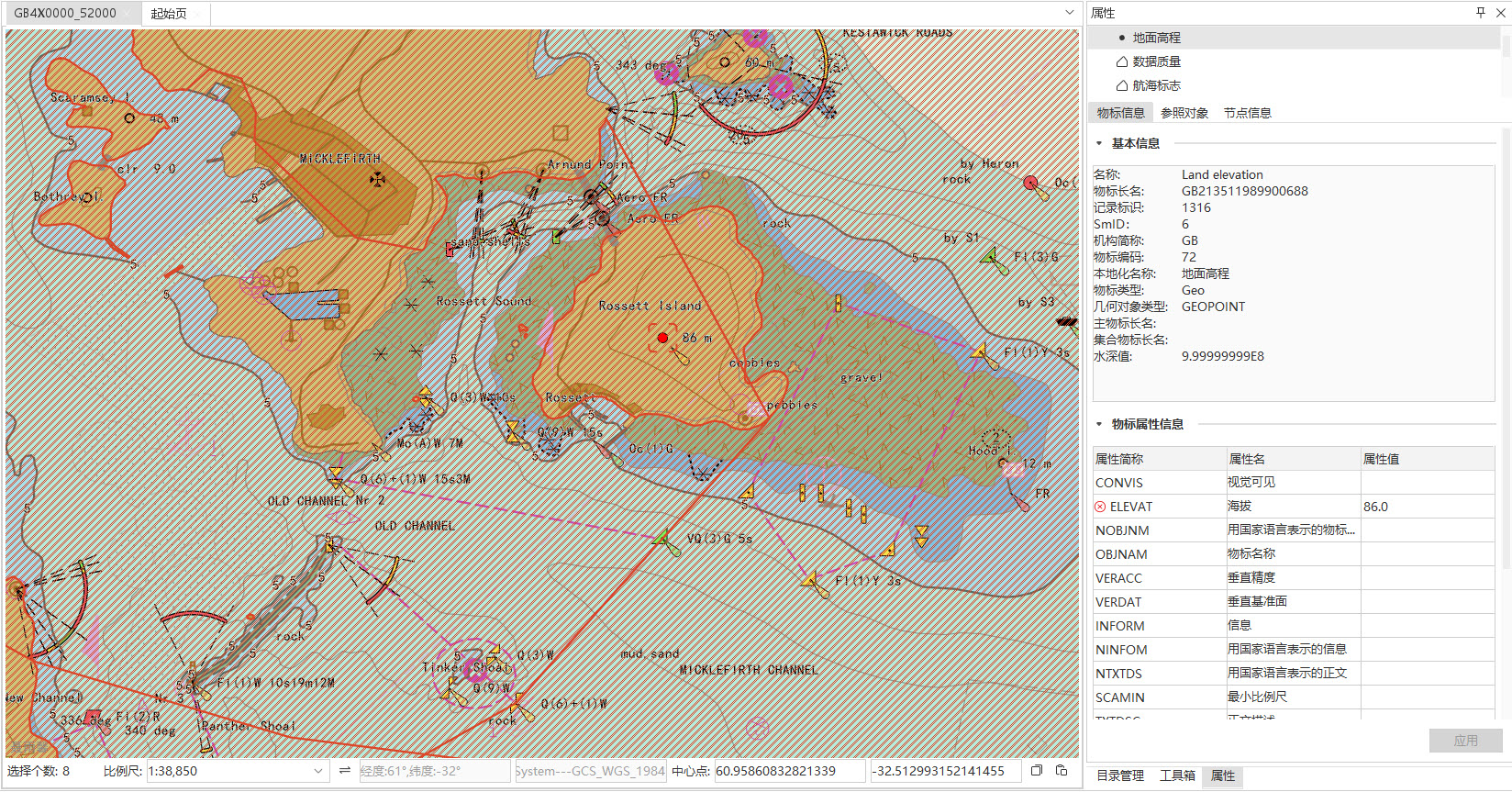
- Enter the Chart tab-> Location Search group-> Click the Recognize Feature button, and the mouse cursor will change to the recognition status in the Map.
- Click the object to be identified in the chart. When clicked, objects in multiple Datasets may be selected.
- The feature object Dataset of the selected object will be displayed above the Properties panel that pops up on the right, and you can manually switch to view it.
- Details of the selected object are displayed below the Attribute panel, including:
- Object Info: Display the Basic Info and Attributes of the object.
- Reference Object: Display the Reference Object Info of the selected object.
- Nodes: Displays the Nodes and Object Info of the object.
- If the current chart belongs to an editable Chart Group, you can double-click the attribute value column of Attribute Information to modify the content manually; if it is a non-editable Chart Group, only viewing is supported.
For a more detailed description of object properties editing, see the related Object Properties Editing .
Related topics