



View S-102
Supports *.h5 Data Import to File Database, Database-type Datasource (PostGIS or DMPlus), or EMS Datasource that complies with the S-102 Data Specification. Note The Datasource that imports S-102 data cannot be a read-only Datasource.
Operating instructions
- Open or create a new Datasource in Workspace to hold *.h5 files.
- Select the Datasource to be Import Nautical Chart Data, and select Import Nautical Chart Data-> S-102 in the Context Menu; Alternatively, select the Datasource to be Import Nautical Chart Data, Start tab-> Data Processing group-> Data Import drop-down menu-> Chart-> select S-102.
- Select one or more S-102 *.h5 files in the Import Nautical Chart Data pop-up box, and click Open.
- After Select File, the selected file is listed in the S-102 dialog box, and the following parameters are available for viewing and editing:
- Source File: Displays the imported *.h5 File Name and is not editable.
- Source Data: Displays the path of the imported Chart Data and cannot be edited.
- Remove Noise Points: Select this check box to remove noise points from Source Data after importing *.h5 data.
- Confidence Value: Select this check box to import.
- Target Data source: Displays the name of the Target Datasource. Other Datasources in the Current Workspace can be selected from the drop-down list.
- After setting the above parameters, click the Import button to complete the import of S-102 Chart Data. The data is displayed as Raster Data under the corresponding Datasource in Workspace Manager.
Browse Water Depth Surface Data
After the S-102 file is imported as a Raster Dataset, click or hold Shift to select the Raster Dataset to be browsed in batch, and select Add to New Map or Add to Current Map in the Context Menu. Get a quick look at the water depth Surface Data.
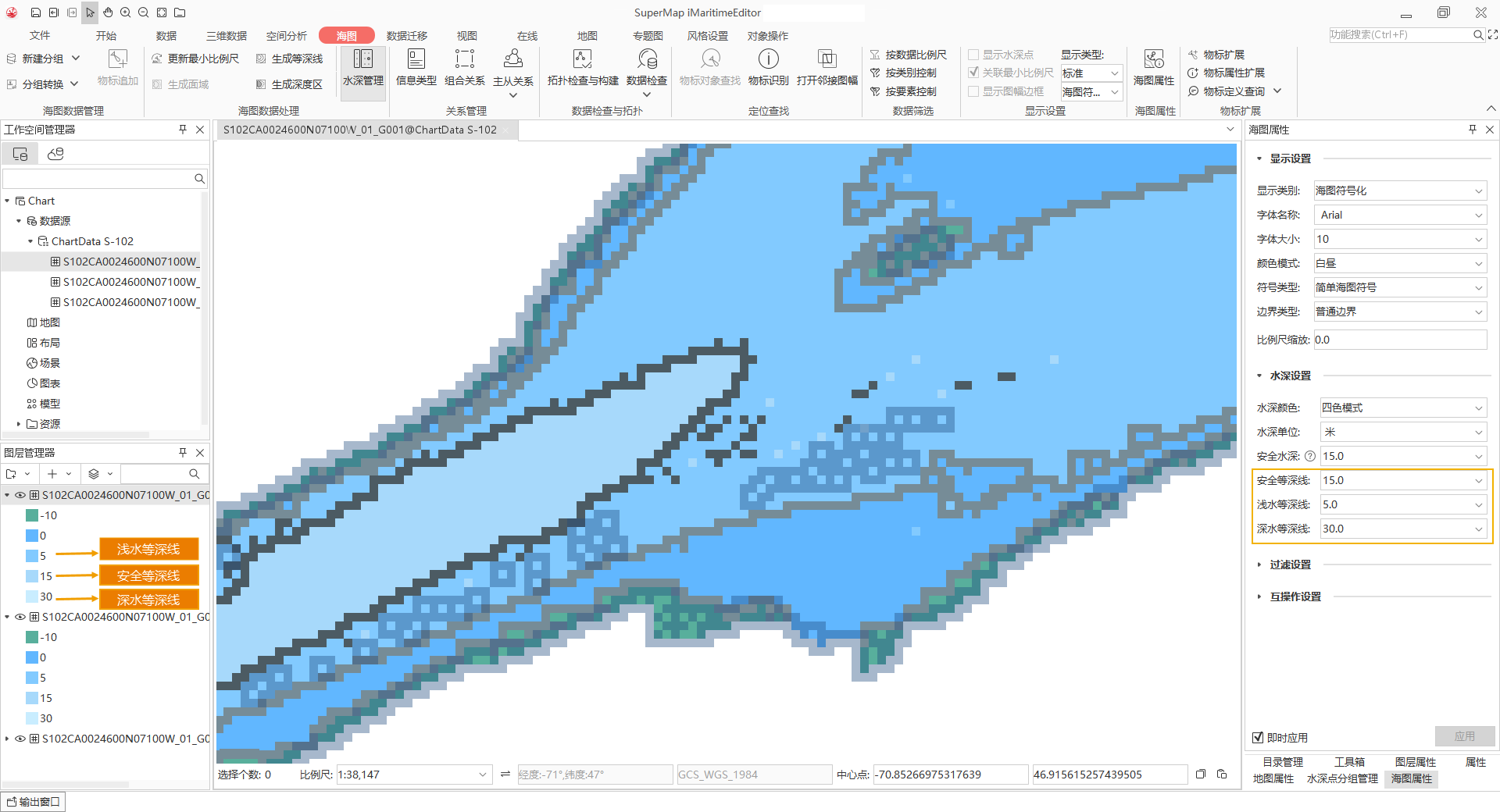
You can set Depth Color and Depth Contours in Depth Settings of Nautical Chart Properties, and the display color in Map will change accordingly, as shown in the following figure:
 Caution:
 File Path of
Import Data cannot contain Chinese characters. //<! CDATA copyright(); //>
Related topics