



Draw Objects
Instructions for use
Draw Objects in the chart is to accurately identify and record important geographical features or navigation auxiliary information, so as to make the chart more practical and accurate. Draw Objects are often required when creating or updating charts, especially in the following situations:
- New geographical features or facilities: when there are new anchoring areas, buoys, navigation marks and other facilities in the offshore area that need to be marked.
- Revise the existing Object Info: When the position, Attributes or appearance of the existing object is changed, the object needs to be redrawn or edited.
- Data Integration or Standardization: In order to maintain consistency and standardization of data from different sources in the chart, it may be necessary to re-draw Objects.
Operation steps
Taking the plotting of the point-shaped mooring area object as an example, the specific operations are as follows:
- Open Chart Group: Open the Editable Chart Group that requires Draw Objects to Map.
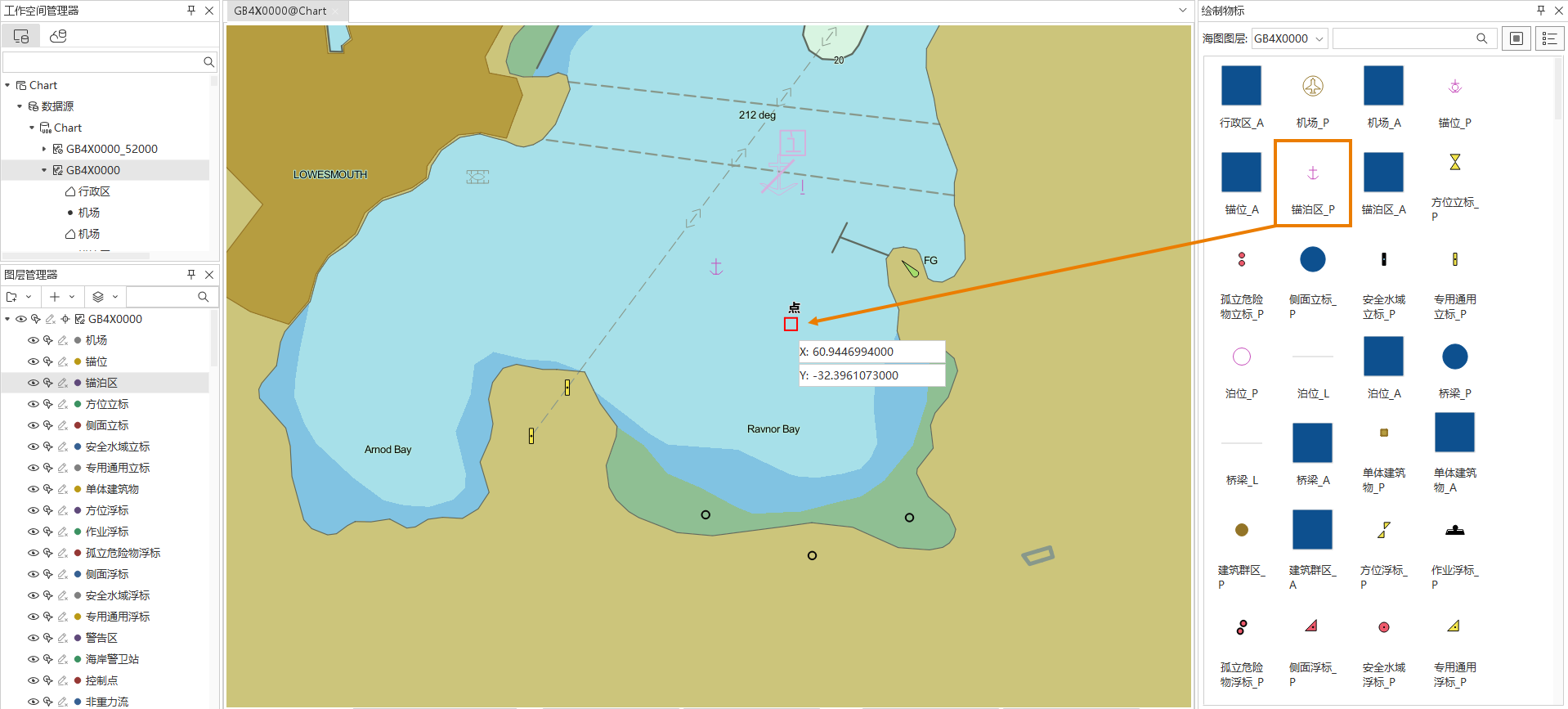
- Enter the drawing mode: Object Operation tab-> Object Drawing group-> Click the Draw Objects button, and the Draw Objects panel will pop up on the right side of the interface.
- In the Select Object Type: panel, the suffix letter distinguishes Object Type: _ P for points, _ A for faces, and _ L for lines. You can switch the Object InfoDisplay Method by clicking the "Large Icons" or "Details" button on the toolbar, or enter Pinyin, abbreviation or Chinese Name in the search box to locate quickly.
- Draw Objects: Select the Object Type of Anchor Zone _ P in the panel, and draw directly in Current Windows. With the mouse hovering, press the Tab key to activate the XY coordinate input box and enter the coordinates of the target.
- The
- drawn object will be automatically stored in the corresponding feature Dataset in the group. If the feature Dataset does not exist in the current Chart Group, the corresponding Dataset will be generated automatically.
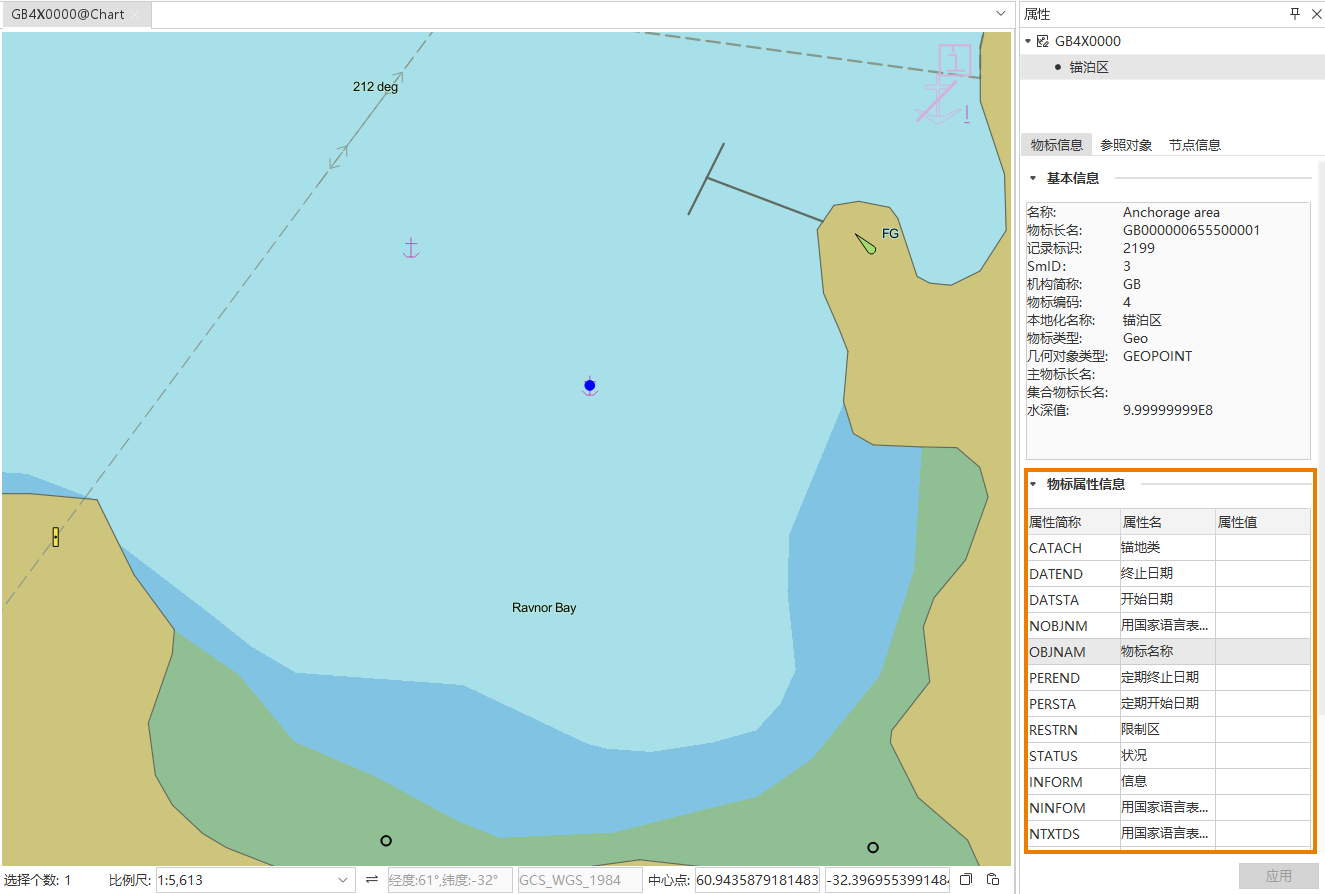
- Modify object attribute: After drawing, you can modify the attribute value of the object in the Properties Panel to meet specific requirements.
Save drawing: After confirmation, save the drawing and editing contents with Ctrl + S.
Related topics