



Instructions for use
The Append Features feature allows you to add existing feature object Dataset Information to a newly created or existing feature object Dataset, thereby implementing a Batch Add object. The appended Dataset is determined by the specified feature object code (or abbreviation) and the Object Type of the recordset to be appended. If the specified target feature object Dataset does not exist, create a new Dataset in the group and append the record.
Append Features is used to quickly add a large number of feature object objects, and is useful when you need to extend or update an existing Dataset. For example, when creating a new Chart Group or updating existing Chart Data, Append Feature Dataset can improve efficiency and ensure data integrity and consistency.
Operation steps
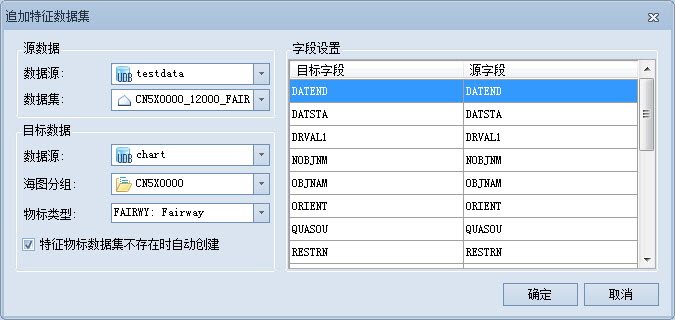
- In the Workspace Manager, select the Editable Chart Group for which an object needs to be added, and enter the Chart tab-> Chart Data Management group-> click the Append Features button. The Append Feature Dataset dialog pops up.
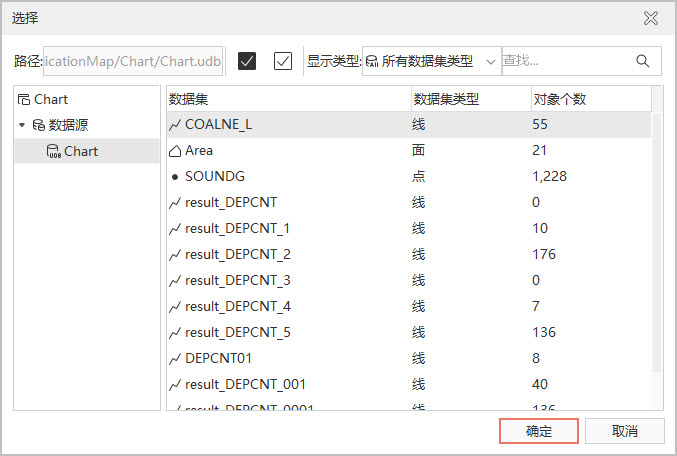
- Select the Add button on the dialog toolbar to enter the Select feature Dataset window. Select Datasource and Dataset on the left side of the window, select the Dataset to be added in the list on the right side, and click OK to complete the selection.
- Click Object Type and specify the Object Type of the record set to be appended in the pop-up drop-down box. Click the Field Settings button to bring up the Field Settings window. In this window, the Target Field lists the required fields based on the target characteristic Object Type. The source field list automatically matches the Target Field name. If the source field is not consistent with the Target Field, double-click the mouse in the source field list to select the corresponding field.
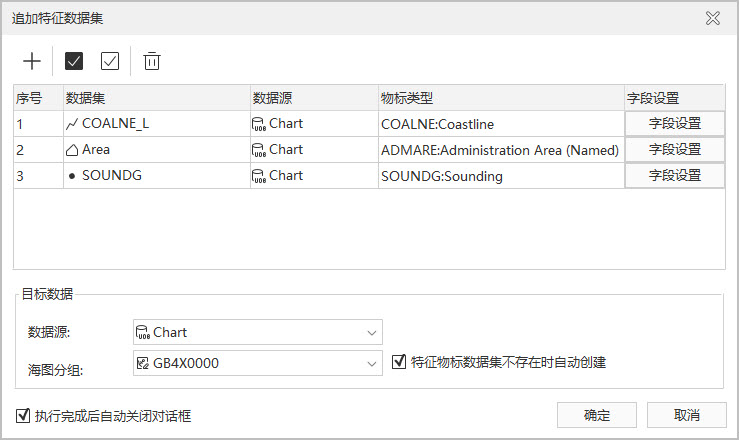
- Select the target Datasource and the editable Chart Group. The The feature dataset is automatically created when it does not exist. check box is selected by default. If there is no corresponding feature object Dataset in the current group, it will be created automatically; If it exists, the appended data will be merged into the corresponding Dataset.
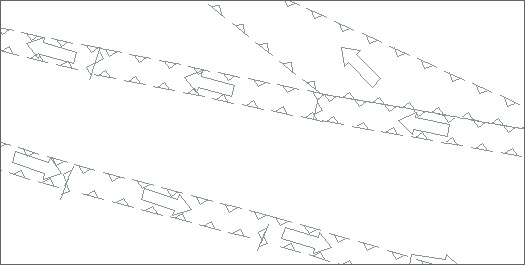
- Click the OK button to add the object of the record set to be appended to the Target Dataset. Open the Chart Group in the Map to view the Append Result.
Related topics