



Add/Remove Depth Point
Instructions for use
Adding/deleting bathymetric points is usually done by editing the bathymetric Dataset. When depth point data is appended to an editable grouping, the system automatically groups the depth points based on attributes other than depth. Grouping of new or ungrouped bathymetry points is necessary to ensure that the SuperMap Chart Export is a 000 file in accordance with the S-57 standard.
Operation steps
- Open the Editable Chart Group for Sounding Management and load it to Map.
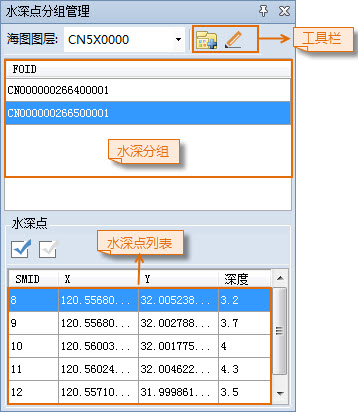
- Chart tab-> Chart Data Processing group-> click the Sounding Management button, and the Sounding Group Management panel will pop up on the right side of the interface. The upper part of the panel displays the water depth grouping in Chart Group, and the lower part displays the corresponding water depth point list.
- Select a Water Depth layer in the Layer Manager and set the layer editable.
- Object Operation tab-> Object Drawing group-> Click the Point button, move the mouse to the Map to change to the drawing state, and then click the left mouse button to draw the water depth point at the appropriate position. Press the Tab key to activate the XY coordinate input box and enter the coordinates, and press the Enter key to confirm the drawing.
- Select the drawn water depth point, select Attribute in the Context Menu, open the Attribute dialog box of the water depth point object, and refer to the relevant values of the Sounding Group Attribute Settings to be added. Click the Sounding Group button in the Sounding Group Management panel toolbar to add the water depth point to the corresponding water depth group. Repeat this procedure to draw multiple water depth points. When you are finished, right-click to end the drawing.
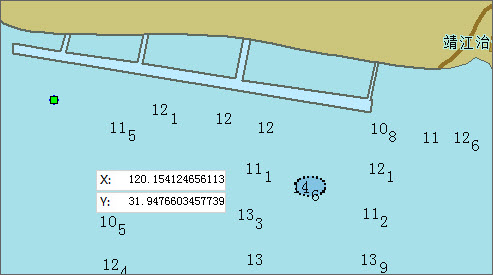
- Select one or more water depth points and delete them by pressing the Delete key or through the Delete option in the Context Menu.
Related topics