VI. Model metadata |
Model metadata is the important information describing the model, which is used to describe the usage of the model. Detailed model metadata allows others to fully understand the scope of application of the model to reduce barriers to knowledge sharing and application sharing. Model metadata includes:
You can view and edit model metadata in the following steps:
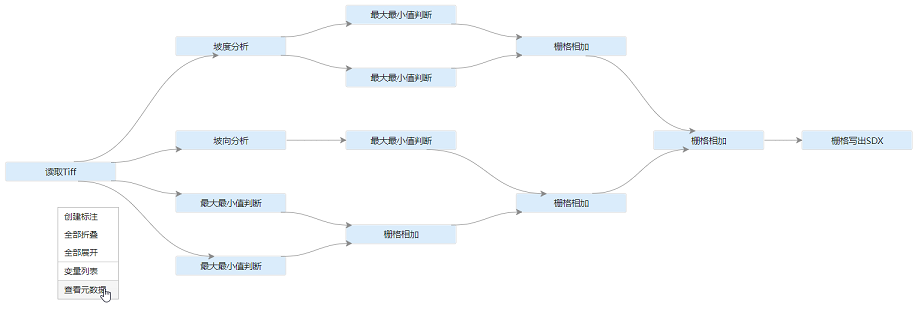
Right-click in the blank area of the canvas and select View Metadata to pop up a window for viewing metadata.
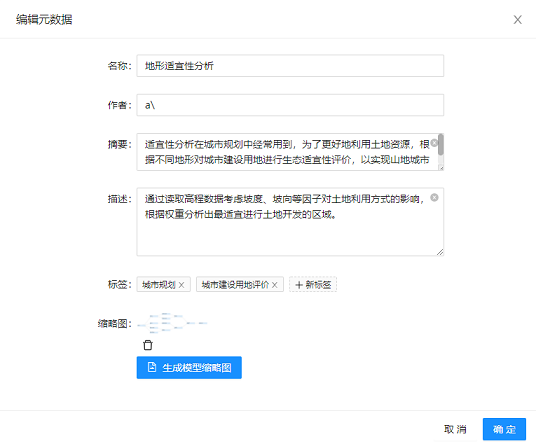
If you need to edit metadata info, continue to click the "Edit Metadata" button in the View Metadata window. You can edit the title, author, abstract, description and label of the model in the Edit Metadata window. You can also generate a model thumbnail with one click. After editing, click OK, and the model metadata will be saved to the model file.
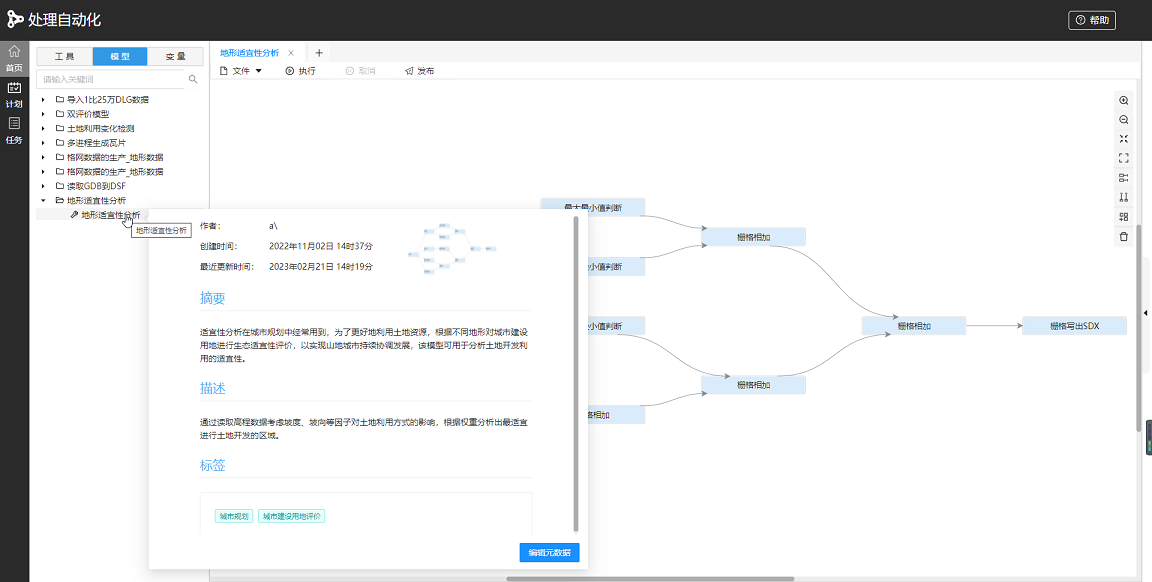
After publishing the model to the model list, hover the mouse over the corresponding model for 2 seconds to view the model metadata through the floating window. Instead of expanding the model to the canvas, click on the model thumbnail to see the contents of the model.
7. Model base management model