



The presentation function is an innovative display method that deeply integrates traditional presentation software (such as PPT) with a 3D scene. It not only supports adjusting the perspective and data control for each page, but also allows adding elements such as text, images, videos, diagrams, tables, and setting transition effects between pages to present information in a dynamic and interactive way. This integration provides a rich visual experience for scheme reporting, making complex information more intuitive and vivid.
This function has the following features:
- Diversified Data Integration: Supports the integration of various types of data such as BIM, oblique photography data, GIS data, images, videos, etc., meeting the professional needs of different industries.
- Easy to Operate: This function is similar to the familiar PPT creation, with a low learning curve, easy to get started, suitable for users of all levels to quickly master.
- Immersive Experience: Adopts a three-dimensional dynamic display method, bringing an immersive reporting experience distinct from traditional PPT.
- Efficient Communication: Enhances communication efficiency through intuitive display means, making complex concepts and technologies easier to understand.
Presentation can be applied in many industry fields such as urban planning, environmental protection, traffic management, disaster emergency response, etc., deeply empowering industry decision-making, significantly improving the visualization of schemes and the accuracy of decisions.For example, in urban planning, it helps decision-makers and the public better understand planning schemes through three-dimensional dynamic displays; in environmental protection, it vividly simulates environmental changes or the effects of protection measures to assist in formulating scientific strategies; in traffic management, it uses simulations to optimize traffic layouts and evacuation routes for emergencies.
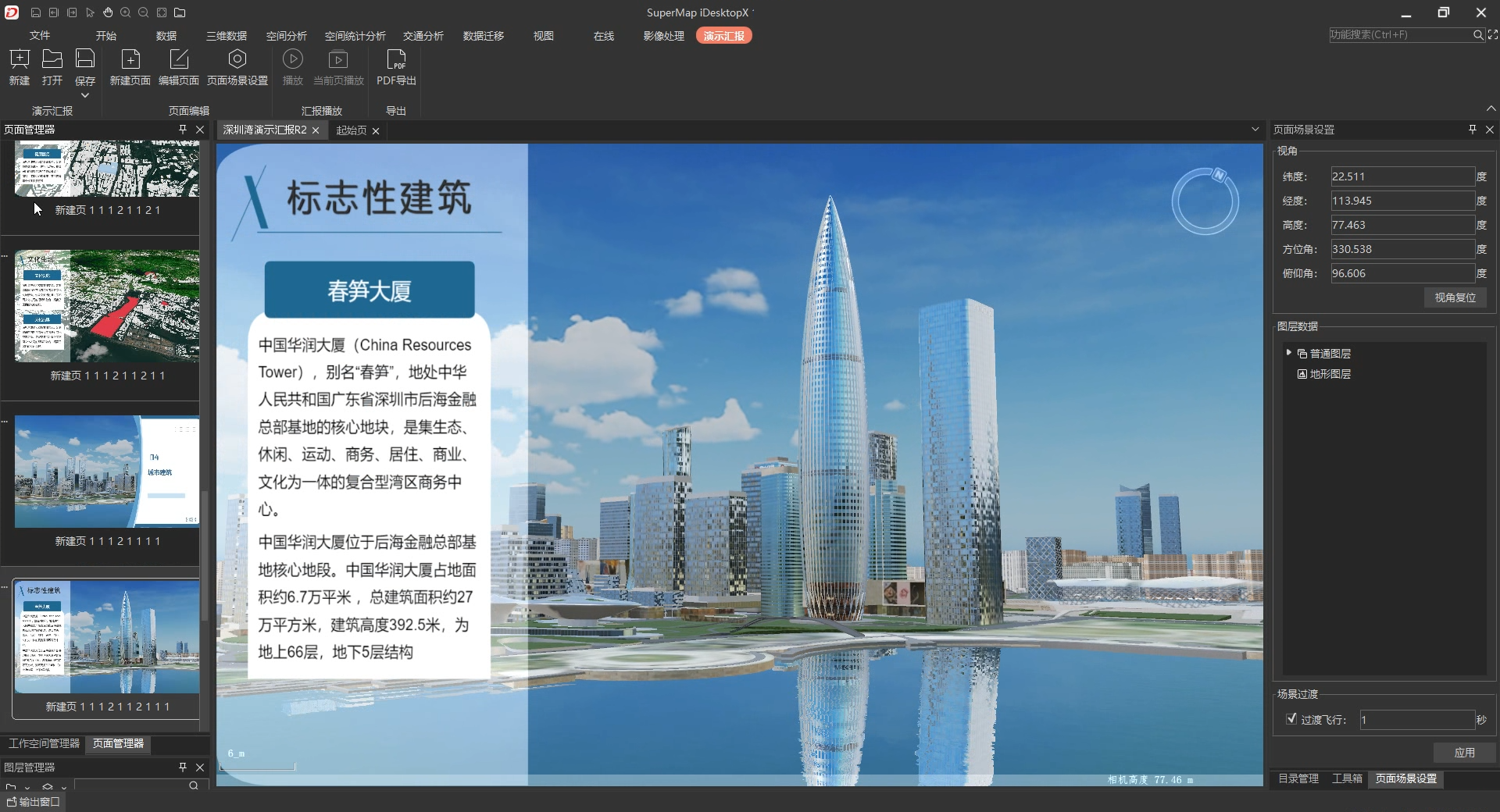
This chapter will detail the following content for you:
- Manage Presentation: Introduces how to create, save, and open presentation projects;
- Page editing: Introduces how to create new presentation project pages, and perform related editing on the pages, set page scene properties;
- Show the presentation: Introduces how to play presentation projects, and some related operations during playback;
- Export Results: Introduces how to export reporting results;