com.supermap.realspace
类 Layer3DImageFile
- java.lang.Object
-
- com.supermap.data.InternalHandle
-
- com.supermap.realspace.Layer3D
-
- com.supermap.realspace.Layer3DImageFile
-
-
方法概要
所有方法 实例方法 具体方法 限定符和类型 方法和说明 intgetOpaqueRate()返回影像图层的不透明度。ColorgetTransparentColor()返回透明色。intgetTransparentColorTolerance()返回透明色容限(0~255)booleanisRenderingWithMultiResolution()返回是否多分辨率渲染。booleanisTransparent()返回是否使用透明色并且以容限范围内的透明度来显示。voidsetOpaqueRate(int value)设置影像图层的不透明度。voidsetRenderingWithMultiResolution(boolean renderingWithMultiResolution)设置是否多分辨率渲染。voidsetTransparent(boolean transparent)设置是否使用透明色并且以容限范围内的透明度来显示。voidsetTransparentColor(Color color)设置透明色voidsetTransparentColorTolerance(int colorTolerance)设置透明色容限(0~255)-
从类继承的方法 com.supermap.realspace.Layer3D
clearCustomClipPlane, clipByBox, fromXML, getAlphaReject, getBounds, getBoxClipPart, getCaption, getClipBox, getClipLineColor, getCustomClipCross, getCustomClipPlane, getDataName, getDescription, getEditFeature, getExtendXML, getFeatures, getFilterPixelSize, getMapServiceType, getMaxObjectVisibleDistance, getMaxVisibleAltitude, getMinObjectVisibleDistance, getMinVisibleAltitude, getMixColorType, getName, getParentGroup, getParentLayer, getPassword, getReceiveSunLight, getReleaseWhenInvisible, getSelection, getShdowType, getSnap, getSwipeRegion, getType, getVisibleDistance, getVisibleInViewport, hasLocalCache, isAlwaysRender, isChangedToLayerStyle, isDisposed, isEditable, isSelectable, isShadowEnable, isSketchMode, isSwipeEnable, isVertexColorLinear, isVisible, isWebDatasource, setAlphaReject, setAlwaysRender, setCaption, setChangedToLayerStyle, setClipLineColor, setCustomClipCross, setCustomClipPlane, setDescription, setEditable, setFilterPixelSize, setLocalCache, setMaxObjectVisibleDistance, setMaxVisibleAltitude, setMinObjectVisibleDistance, setMinVisibleAltitude, setMixColorType, setParentGroup, setParentLayer, setReceiveSunLight, setReleaseWhenInvisible, setSelectable, setSelection, setShadowEnable, setShadowType, setSkecthMode, setSketchMode, setSnap, setSwipeEnable, setSwipeRegion, setVertexColorLinear, setVisible, setVisibleDistance, setVisibleInViewport, toXML, updateData
-
-
-
-
方法详细资料
-
getOpaqueRate
public int getOpaqueRate()
返回影像图层的不透明度。该属性值范围0-100,0表示完全透明,100表示不透明。- 返回:
- 影像图层的不透明度。该属性值范围0-100,0表示完全透明,100表示不透明。
- 默认值:
- 默认值为100,即:不透明。
-
setOpaqueRate
public void setOpaqueRate(int value)
设置影像图层的不透明度。该属性值范围0-100,0表示完全透明,100表示不透明。- 参数:
value- 影像图层的不透明度。该属性值范围0-100,0表示完全透明,100表示不透明。- 默认值:
- 默认值为100,即:不透明。
-
isTransparent
public boolean isTransparent()
返回是否使用透明色并且以容限范围内的透明度来显示。- 返回:
- 是否使用透明色并且以容限范围内的透明度来显示。
-
setTransparent
public void setTransparent(boolean transparent)
设置是否使用透明色并且以容限范围内的透明度来显示。- 参数:
transparent- 是否使用透明色并且以容限范围内的透明度来显示。
-
getTransparentColor
public Color getTransparentColor()
返回透明色。- 返回:
- 透明色
-
setTransparentColor
public void setTransparentColor(Color color)
设置透明色- 参数:
color- 透明色
-
getTransparentColorTolerance
public int getTransparentColorTolerance()
返回透明色容限(0~255)- 返回:
- 透明色容限(0~255)
-
setTransparentColorTolerance
public void setTransparentColorTolerance(int colorTolerance)
设置透明色容限(0~255)- 参数:
colorTolerance- 透明色容限(0~255)
-
isRenderingWithMultiResolution
public boolean isRenderingWithMultiResolution()
返回是否多分辨率渲染。- 返回:
- 一个布尔值,表示是否多分辨率渲染。
-
setRenderingWithMultiResolution
public void setRenderingWithMultiResolution(boolean renderingWithMultiResolution)
设置是否多分辨率渲染。- 参数:
renderingWithMultiResolution- 是否多分辨率渲染。参数设置为 true 时,以多分辨率渲染,效果图如下:
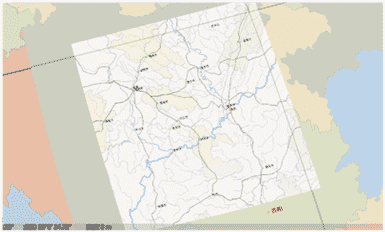
参数设置为 false 时,以一种分辨率渲染,效果图如下:

-
-
Copyright © 2021–2025 SuperMap. All rights reserved.