Classifying the scene of the image tile, namely segmenting the whole image according to a specific size, distinguishing the images with similar scene characteristics from the segmented images, classifying the images, and endowing each image with a scene category label.

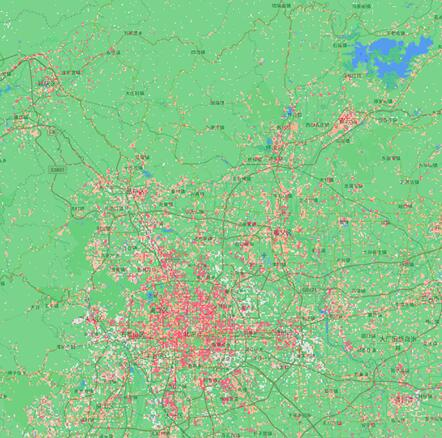
Figure 1: Original image Figure II: Local Climate Zone (LCZ) classification results
When creating a scene classification task, you need to set the following parameters:
Image datasource: required parameter, specifying datasource path of image data set to be analyzed, such as C:\Data\Image.udb. Currently only udb, udbx, tiff are supported. It can also be specified by selecting a registered data set.
Image dataset: a required parameter, specifying the name of the image dataset to be analyzed, such as dsm. When the input data source is tiff, this parameter does not participate in the analysis.
Model File: required parameter, the path of the trained model file used for analysis, such as C:\Data\models.sdm. It can also be specified by selecting a registered model.
User-defined result datasource name: optional parameter. Check this option to specify the datasource name for storing analysis results, such as Result. The data source is created when it does not exist.
Result dataset: optional parameter, output binary classification result dataset name. The default is sceneclassify_result.
Publish results as map services: Check this option to publish the scenario classification results as map services.
Publish results as data services: Check this option to publish scenario classification results as data services.