SuperMap iClient Classic for JavaScript development process is as follows:

Figure 1 SuperMap iClient Classic for JavaScript development process
Below we will show you how to use SuperMap iClient Classic for JavaScript to build a simple map application.
Step 1: Get Package
- Download the compressed package file -- SuperMap iClient Classic for JavaScript, then decompress it to local disk. Download address: http://support.supermap.com.cn/product/iClient.aspx
- The directory structure of it is as follows:

Figure 2 SuperMap iClient Classic for JavaScript package structure
Step 2: Create HTML Page
Create a new folder on any location of the disk and rename it, here rename it "MyFirst"; Create a html page named "GettingStarted.html" with text editing tool (like NotePad++) in the folder, save the html page in UTF-8 encoding formating, add the following code:
| HTML | |
|---|---|
|
|
Step 3: Reference Resource File
Two steps for the referencing:
Copy the "resource" folder in Step1 to "MyFirst" folder;
Copy the libs folder to "MyFirst" folder;
Of course, the libs and the resource folder can also be placed in other places, then need to modify the code in the next step in the relative path of the reference script.
Step 4: Add code to access the map service:
Add the following code between <html> and <body> to create the map.
| JavaScript | |
|---|---|
|
|
Step 5: Use the browser to run and view
Start SuperMap iserver Classic and run the GettingStarted.html file, view map data.
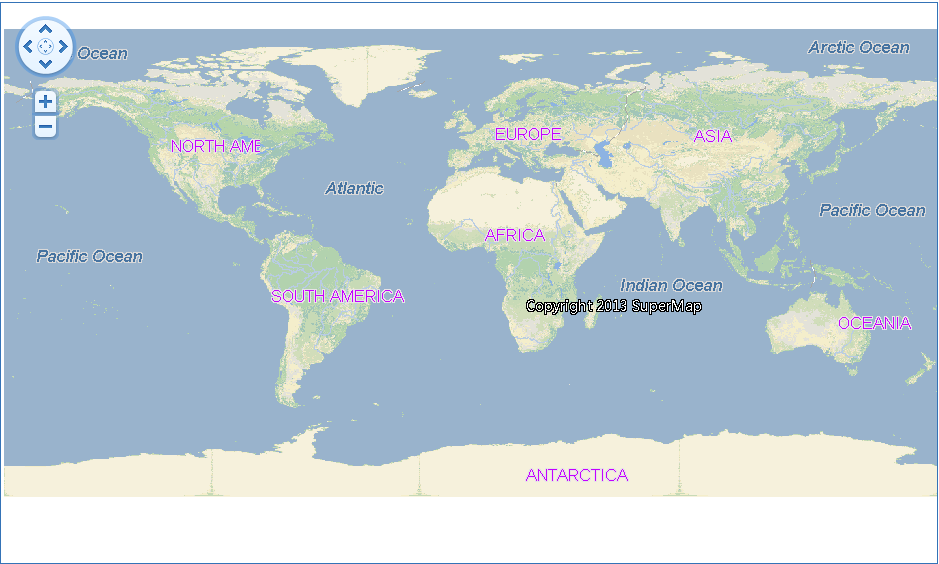
Figure 3 World Map visiting the SuperMap iServer services