GIS Cloud Suite
Register PostGIS
GIS Cloud Suite supports to register internal and external PostGIS. Internal PostGIS is the built-in PostGIS in GIS Cloud Suite. External HBase is the PostGIS built by users, it is required to configure and register in GIS Cloud Suite. Please follow the steps below to register PostGIS.
Register Built-in PostGIS
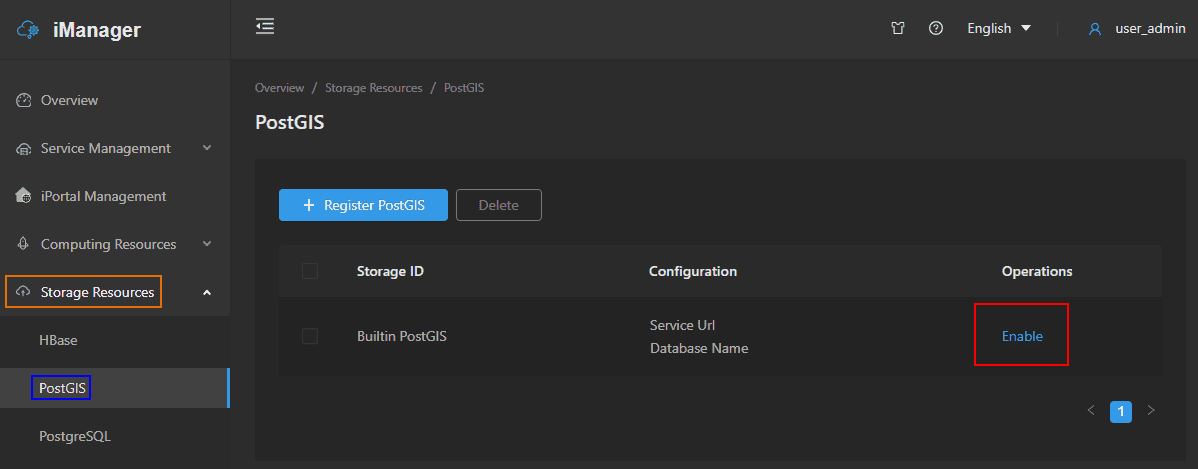
- Clicks on Storage Resources > PostGIS on the left navigation bar.
-
Clicks Enable on the PostGIS page.
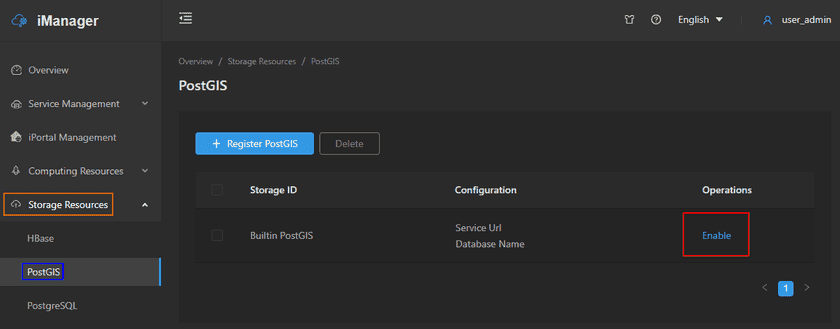
- After the PostGIS environment get started up, the system would register built-in PostGIS in Data Catalog Service automatically.
Register External PostGIS
- Clicks on Storage Resources > PostGIS on the left navigation bar.
- Clicks on Register PostGIS.
-
Fills out the following information to register the PostGIS.
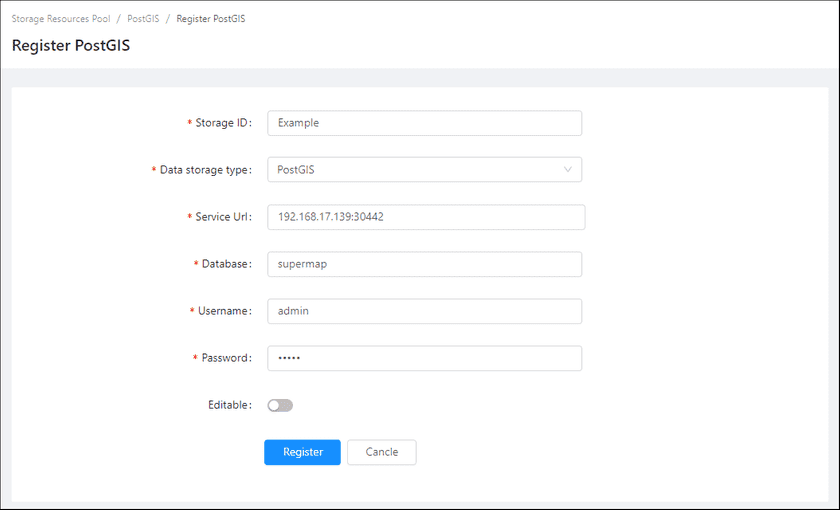
- Storage ID(Required): The name of the PostGIS environment, the name is customizable.
- Data storage type(Required): PostGIS.
- Service URL(Required): The URL of the database.
- Database(Required): The name of database.
- Username(Required): The username of the database account.
- Password(Reuqired): The password of the database account.
- Editable: The default is uneditable. If change the status to editable, the database could be the storage node of Data Catalog Service to upload the relational data.
-
Clicks on Register, the new added PostGIS would be displayed in the list.
Notes:
You can use the PostGIS created by SuperMap iManager, or build the PostGIS environment by yourself. More introductions of PostGIS please refer to SuperMap iServer Documentation.
