GIS Cloud Suite
Register OraclePlus
GIS Cloud Suite supports to register OraclePlus, please follow the steps below to register:
- Clicks Storage Resources > OraclePlus on the left navigation bar.
- Clicks on Register OraclePlus.
-
Fills out the following information to register the OraclePlus.
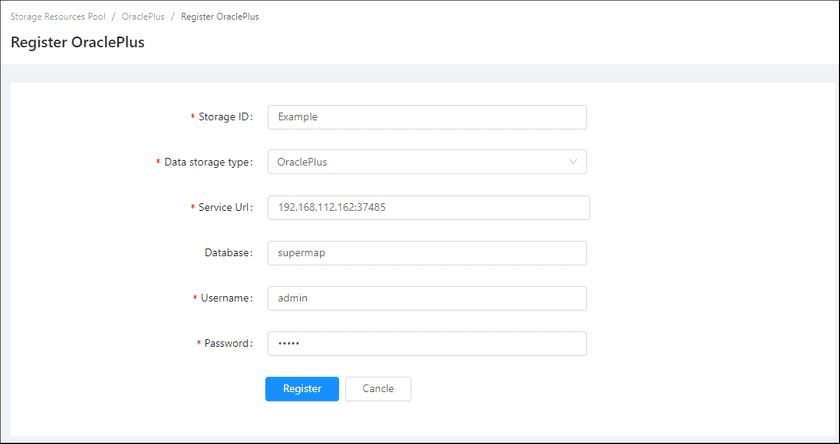
- Storage ID(Required): The name of the OraclePlus environment, the name is customizable.
- Data storage type(Required): OraclePlus.
- Service URL(Required): The URL of the database, such as
192.168.112.162:37485. - Database: The name of database.
- Username(Required): The username of the database account.
- Password(Reuqired): The password of the database account.
-
Clicks on Register, the new added OraclePlus would be displayed in the list.
Notes:
More introductions of OraclePlus please see SuperMap iServer Documentation.
