



Positioning Copy
Function Description
The positioning copy function is used to copy the selected geometry (one or multiple objects) by specifying a base point as a reference, and then pasting it to the specified location with the base point as the origin.
- The positioning copy function is available only when geometry (including complex objects and compound objects) is selected.
- The positioning copy function supports cross-layer operations. The result will copy the selected operation objects on each layer to the specified positions of the corresponding layers respectively.
Function Entry
- Edit Data tab -> Object Editing group -> General editing -> Copy and transform -> Positioning Copy
Instructions
- In the layer editable state, select one or more objects to copy.
- In the Edit Data tab, from the General editing dropdown menu, click the Positioning Copy button in the Copy and transform group to perform the positioning copy operation.
- Then the mouse prompt says: "please specify the base point coordinates". Click the mouse at an appropriate position on the map or enter coordinate values to determine the base point coordinates for positioning copy.
- Then the mouse prompt says: "please specify target point coordinates". Move the mouse on the map, and a preview of the object to be copied will be displayed in real time (shown in dashed lines). Click the mouse at an appropriate position or enter specific coordinates to finally determine the target location of the copy, completing one copy operation.
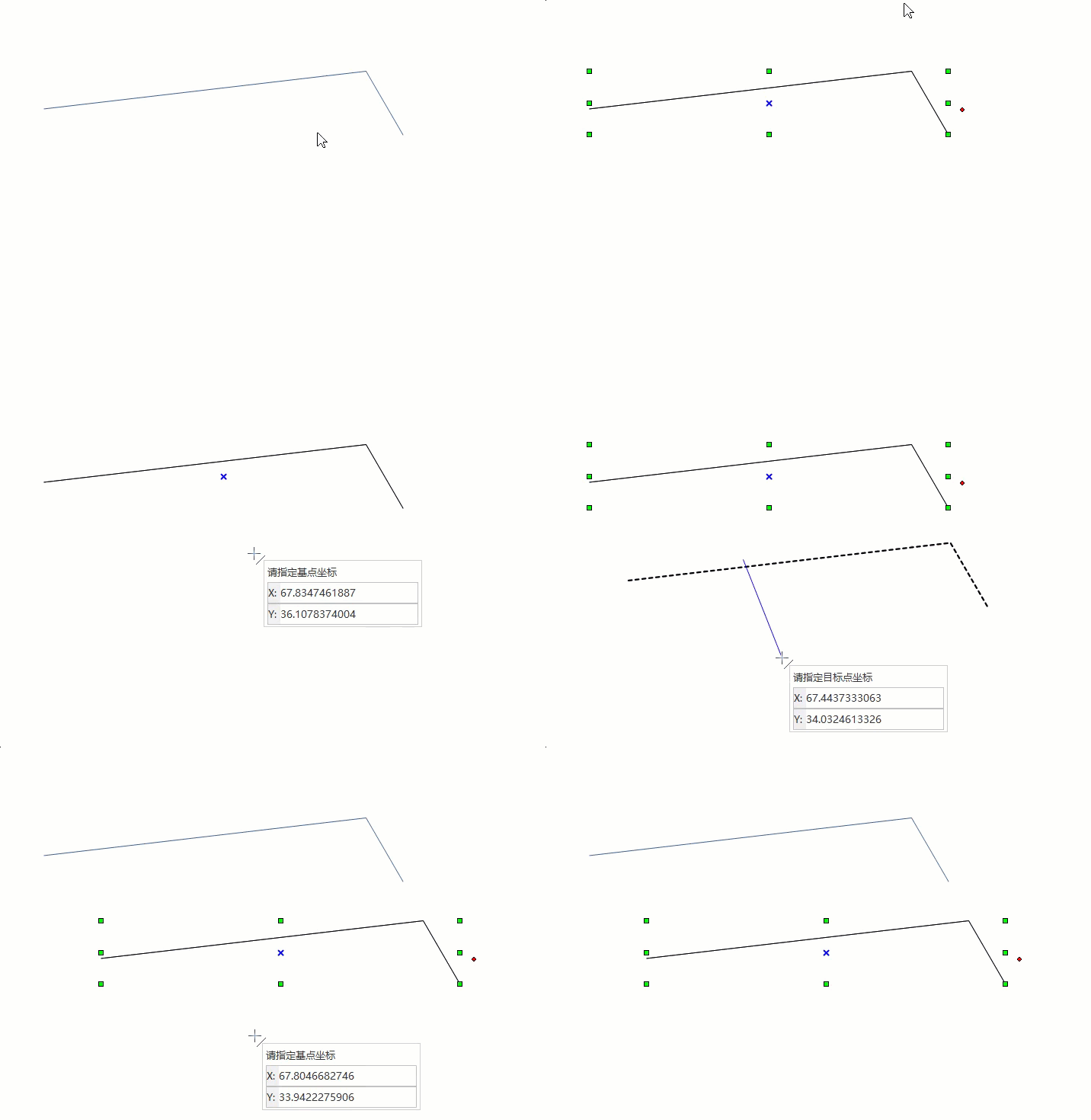
- If you do not want to continue copying, right-click to end the operation. If you want to continue copying, repeat the previous step until you right-click to finish.
 Notes:
The attribute records of the newly generated objects are added to the end of the attribute table, and their non-system field attributes will retain the non-system field attributes of the source objects. The source objects will not change in any way.