



Extract All Isolines
Feature Description
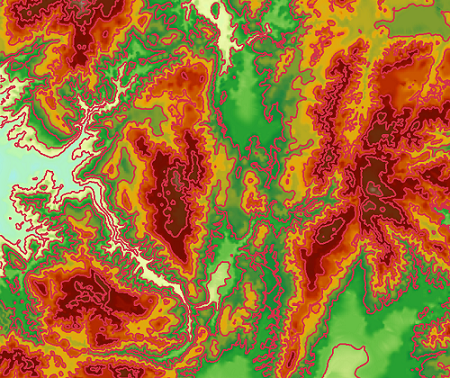
Extract all isolines extracts all eligible isolines from the surface model by specifying parameters.
When users need to extract isolines over a large area or when DEM data is very detailed, traditional methods can no longer meet performance requirements. Therefore, big data methods are required to efficiently extract isolines. Generate the extracted raster dataset (RasterRDD).
Parameter description
| Parameter Name | Default Value | parameter interpretation | parameter type |
|---|---|---|---|
| RasterRDD to be Analyzed | The RasterRDD that needs to be analyzed for isoline extraction. | RasterRDD | |
| Base Value | 0.0 | The initial starting value for generating isolines. It is calculated forward or in both directions at intervals of the contour interval, so it is not necessarily the value of the smallest isoline. Any number can be entered as the base value. The default value is 0. For example, for DEM data with an elevation range of 220-1550, if the base value is set to 500 and the contour interval is 50, the extracted isolines will have a minimum value of 250 and a maximum value of 1550. | Double |
| Contour Interval | 0.0 | The interval value between two isolines. Together with the base value, it determines which isolines to extract. | Double |
| Field Name for Saving Elevation Value (Optional) | zValue | The field name for saving the elevation value. | String |
| Maximum Value (Optional) | 0.0 | The maximum value of raster data. If set, it avoids internal calculation of maximum and minimum values, improving performance. If the minimum and maximum values of the raster are unknown, you can set an approximate range, or set it to 0.0. When both minValue and maxValue are set to 0.0, they will be calculated internally. | Double |
| Minimum Value (Optional) | 0.0 | The minimum value of raster data. If set, it avoids internal calculation of maximum and minimum values, improving performance. If the minimum and maximum values of the raster are unknown, you can set an approximate range, or set it to 0.0. When both minValue and maxValue are set to 0.0, they will be calculated internally. | Double |