



Extracting Route M Value
Instructions for use
Extract M-Value refers to extracting the scale value of Route Data according to the spacing. Extraction Result is point data, which can be used to mark the M value of Route Data in the map, so that the user can know the route value of each route.
Function entrance
- In the Traffic Analysis tab-> Dynamic Segmentation group, click the Extract M-Value button.
- Toolbox-> Traffic Analysis-> Dynamic Segmentation tool: Extract M-Value; or drag the tool to the Model Builder Window and double-click the function graph.
Parameter Description
- Source Data: Set the Route Dataset to be extracted and its Datasource in the dialog box.
- Routing ID field: used to identify the LineM corresponding to the Result Data.
- Extraction Interval: Set the interval for extracting the scale value. If it is set to 100, it means that the scale value of the route is extracted from the starting route value in turn according to the interval of 100. If the actual route is 0, the extracted scale value is 100, 200, 300, 400, etc. Note: If the difference between the end route value and the previous scale value is less than extraction interval, it will not be extracted.
- Result Data: Set the Datasource stored in the Result Dataset and its saved name. The extracted Result Route scale value Dataset is Point Dataset.
- The attribute table of Result Dataset will retain the Route Identification Field in the source Route Data, and the Scale field and Angle field of the route will be added. According to the Result Dataset map, the route value can be identified on the map through the scale, as shown in the following figure:
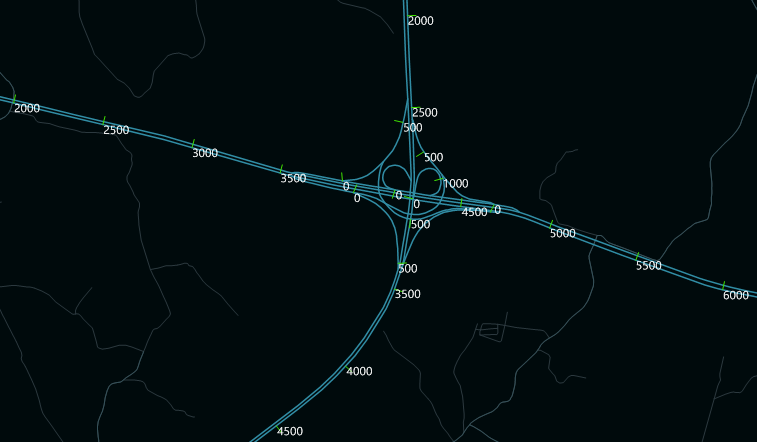 |
| Graph of Marked Route Scale Value Result |
 Related topics