Convert Model Data to 2D Polygon Data
 Introduction
You can convert models to 2D polygons. After conversion, models will be projected to XY plane, generating 2D polygon dataset.
Basic Steps
- In Workspace Manager, you can open datasource with model datasets.
- In the Tools group on the Data tab, click the Convert dropdown arrow and click Model Data to 2D Polygon.
- Click Add or double click the empty area in the list, select model datasets for conversion, click OK.
- Set target datasource and target dataset.
- Click OK to finish.
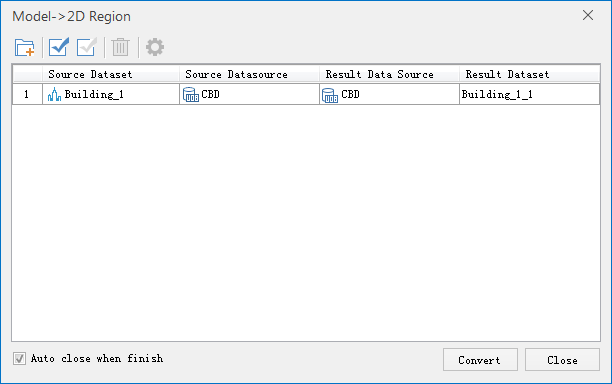 |
| Fig. the Model Data to 2D Polygon dialog box |
While converted successfully, BottomAttitude and Height will be generated for the attributes of 2D polygon dataset. BottomAttitude records the bottom altitude of the mode and Height records the height of the model.
 |
| Fig. Fields for converted objects |