The application supports importing NetCDF(*.nc) files as raster/image datasets. It can display all variables using one dimension like time.
- You can import data in NetCDF format as a raster dataset to check values of variables.
- The application supports playing multiple single-band layers dynamically. And then you can view the variation of variables.
 Functional Entrances
- Start tab > Data Processing group > Data Import > Raster Image> NetCDF.
- Toolbox > Data Import > NetCDF > Import .NetCDF.
Parameter Description
- Source File Info: select the NetCDF (*.cf) file you want to import.
- Result Data: set the name of the resulting dataset and specify a datasource to save it.
Supports setting Encode Type and Import Mode. For descriptions of public parameters, please refer to Public Parameter Settings.
- Type: sets the type of the resulting data. The supportive types include Image and Raster.
- Transformation Parameters
- Band Import: provides two ways: Single Bands and Multi-band.
- Single Bands: The application can generate multiple single-band datasets based on the dimension (not the dimensions for the generation of X/Y coordinates or latitude/longitude) of the NetCDF file and display variables separately. For example, given the global temperatures of Januaries from 2000 to 2020 in NetCDF format. The NetCDF file had three dimensions: longitude, latitude, and time. The application generated 20 band datasets based on the time dimension. Among them, each band dataset represents the temperature of the corresponding year.
- Multi-band: This parameter allows the application to generate a voxel raster dataset based on the dimension (not the dimensions for the generation of X/Y coordinates or latitude/longitude) of the NetCDF file. For example, you can set the height to the longitude of each band. And so, each band of the resulting raster dataset represents the temperature at the corresponding height.
Note: The application won't create any items on each position where either the coordinate X or Y is 0 in the original data. But, if the value of other variables is 0, the application will assign null to the corresponding positions.
- Variable Value: This variable applies to the assignment of pixel values for the resulting raster dataset.The values will be displayed, like wind speed, temperature, rainfall, and so on.
- Band Import: provides two ways: Single Bands and Multi-band.
Sample Application
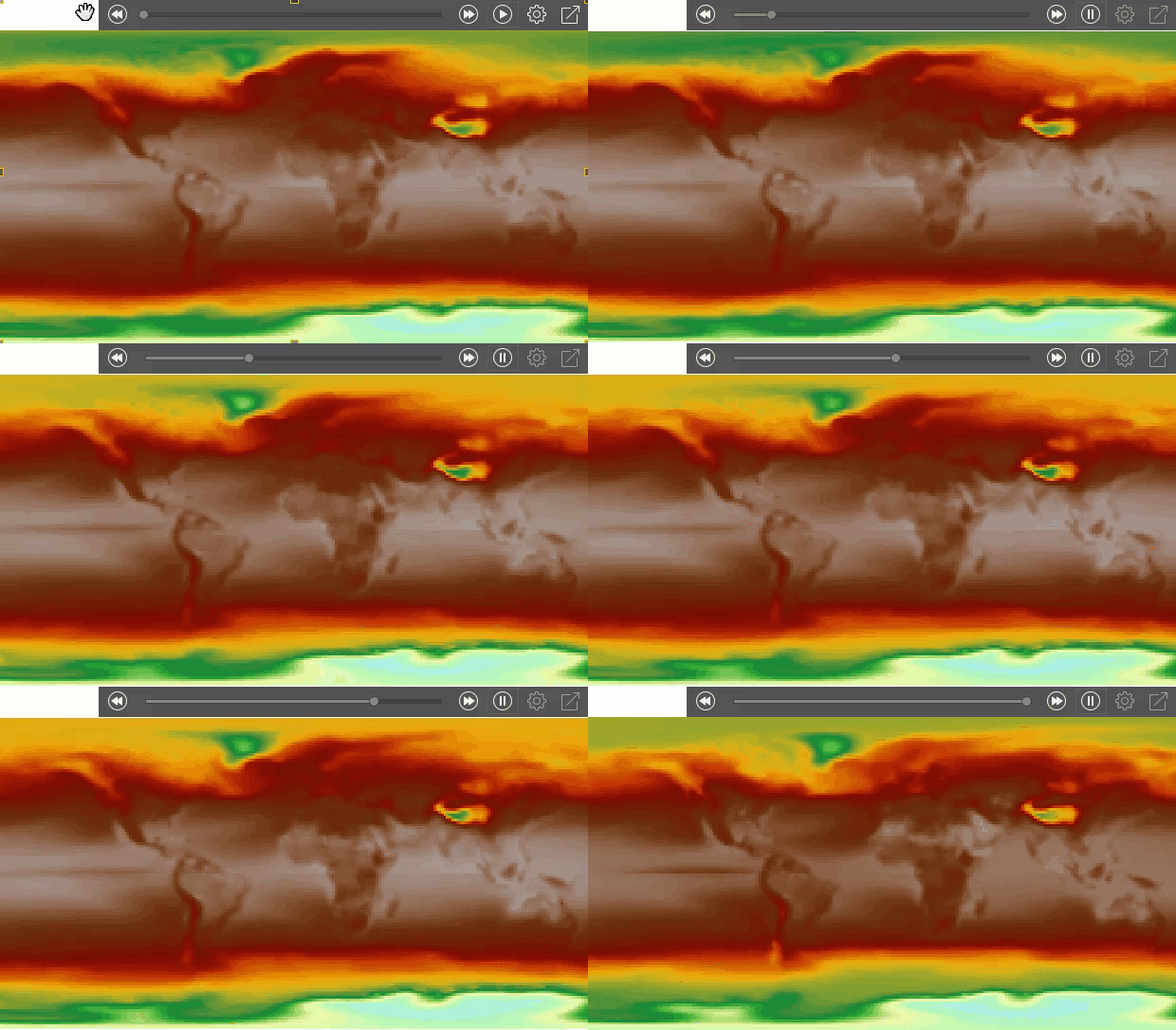
We obtained the global temperatures of January of 20 years from the atmospheric model simulation. Among all variables, the 3D variable tmin records the lowest temperature of each year. Apart from the two dimensions lon and lat, tmin has another dimension to represent time: year. Importing the NetCDF file as multiple single-band data and playing layers, we got the following map.
 |