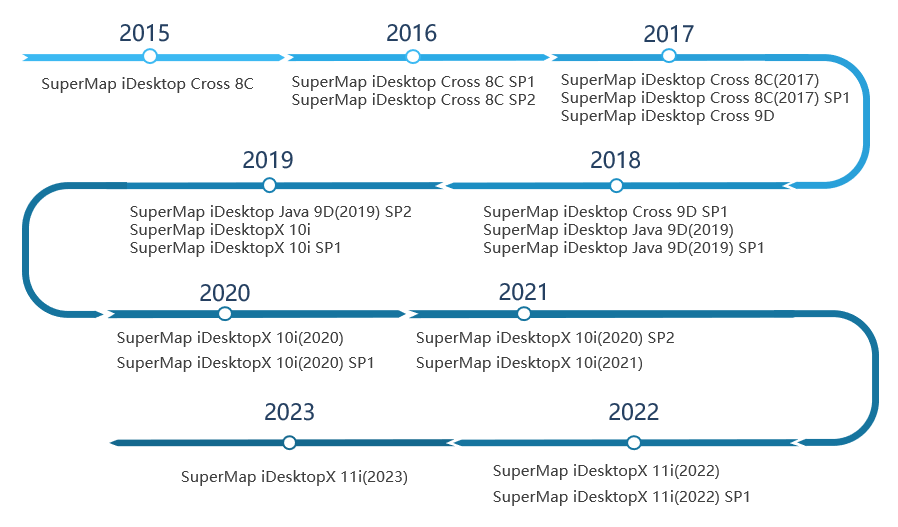
SuperMap iDesktopX 11i(2023) Introduction
SuperMap iDesktopX is a professional cross-platform GIS software. It can run both on Windows OS and Linux OS.
SuperMap iDesktopX is developed based on SuperMap iObjects Java. It provides not only various features like data management, data processing, data analysis, mapping, geospatial processing automation, but also a flexible development framework and auxiliary controls to facilitate user-friendly secondary development.
 Who needs SuperMap iDesktopX?
- Users that need to create and process data in different operating systems.
- Users that need to analyze spatial data in different operating systems.
- Users that need to develop cross-platform applications.
Why do you select SuperMap iDesktopX?
- The first cross-platform desktop GIS product. You can run it on Linux operating system.
- It has strong abilities to edit data, render map, and create thematic maps.
- It supports abundant tools like data processing, spatial analyses, and so on.
- It supports developing new features in Java.
Supported Operating Systems
SuperMap iDesktopX can run on the following operating systems.
- Windows support: Windows 7, Windows 8, Windows 10, Windows Server 2012
- Linux OS that deployed jdk/jre 1.8 or higher: NeoKylin, Ubuntu, Ubuntukylin, Redhat, SUSE.
Product Features
- It is developed in Java and can run on both Windows and Linux.
- CPU architectures support: x86, Power, ARM, MIPS, Alpha, PHYTIUM, LOONGSON, SUNWAY.
- Operating systems support: Linux and Windows.
- It uses Ribbon interface instead of the traditional tool bar mode.
- You can switch the theme style of the interface freely.
- You can configure and manage Ribbon interface through configuration files without coding.
Provided Features
Data Management
- Supports most of mainstream databases like PostGIS, Oracle, MongoDB, PolarDB, and GaussDB.
- Supports distributed engines like HBase, DSF, YuKon, and Elasticsearch.
- Supports Chinese databases like HighgoDatabase, SinoDB, GBASE, Dameng, and KingbaseES.
- Supports importing more than 80 kinds of data formats and outputting more than 30 kinds of data formats.
- A huge amount of image data saved in local device, FTP, NAS, and cloud can be managed and visualized in the way of mosaic datasets.
- Provides data version control to serve multi-person collaborative data production.
- Supports sending and receiving streaming data and docking iServerStream services.
- Predefines 1600+ coordinate systems. Allows to customize coordinate systems. You can preview the applicable extent of each coordinate system.
Data Edit and Processing
- Supports symbolization data collection, line and region vectorization.
- Supports topological data check, data construction, network construction, and processing errors.
- Projection transformation provides 11 conversion methods including two-dimensional four-parameters and three-dimensional seven-parameters;
- It supports inverse calculation of projection transformation parameters, and provides 5 transformation methods including coordinate frame rotation transformation and three-dimensional seven parameters.
Mapping
- Supports creating a variety of thematic maps such as unique value, range, label thematic maps.
- Provides dynamic aggregation maps, regional aggregation maps, and cartograms.
- Supports creating markers, linear symbols, and filling symbols.
- Supports searching and using online cartographic resources, such as symbols and color schemes.
- Supports intelligent rendering of maps based on pictures and adjustment of map brightness, contrast, and saturation.
- Supports setting the display weight of the text/label thematic map layer, which is convenient for adjusting the display order of the layers;
- Provides a map performance diagnostic tool to automatically detect the performance of the map at multiple scales.
- Supports cartography tools such as map sheet, map grid, standard map frame, SOT connection chart.
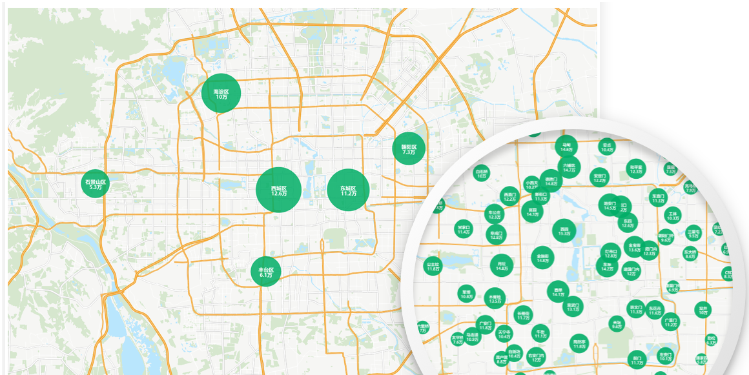
Map Tiles
- Provides a full-process solution for map tile production, management, and release.
- Supports multi-task parallel generation of map tiles.
- Provides management functions such as tile merging, extraction, updating, checking, and format conversion.
Layout
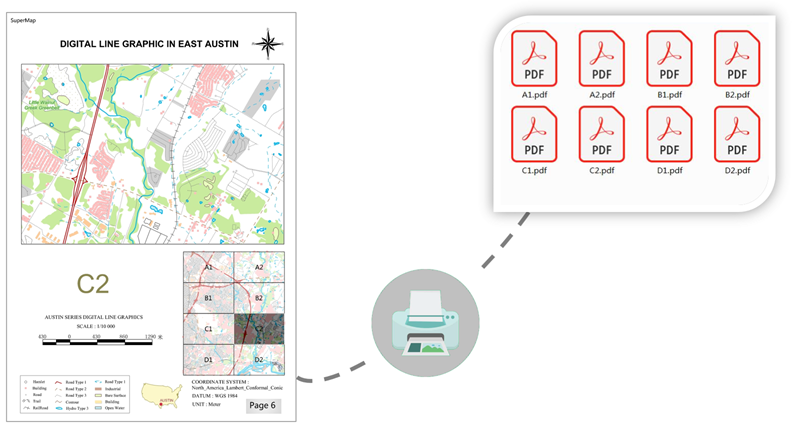
- Support wizard-style creation of layouts and interactive addition of layout elements.
- Supports the creation of map grids, which can add kilometers and graticules to maps;
- Supports creation of map series and atlas printing;
Diagram
- Supports more than 10+ kinds of diagrams such as histogram, scatter chart, and area chart.
- Supports conversion between diagrams and thematic maps.
- Supports linkage of diagrams, maps, and attribute tables.
Spatial Analysis
- Supports vector analyses: create buffers, overlay, proximity analysis.
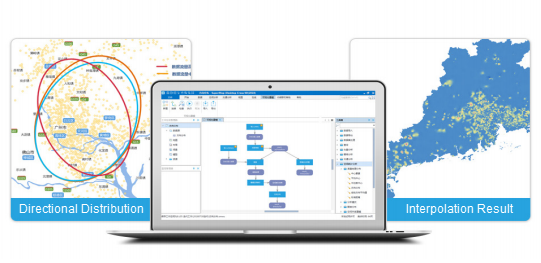
- Supports interpolation analysis, providing interpolation methods such as Kruging, inverse distance weight, obstacle spline, etc.;
- Supports hydrological analysis, providing river correction DEM, calculate watershed, and extract river network.
- Supports surface analyses such as contour/surface extraction, slope, aspect, fill and cut;
- Supports traffic network analysis, facility network analysis, and dynamic segmentation.
Spatial Statistic Analysis
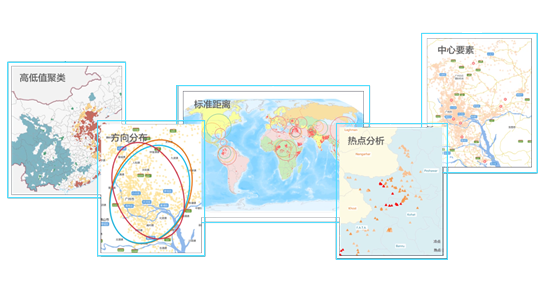
- Supports measurement geographic analyses of central elements, mean center, median center, direction distribution, etc.
- Provides analysis modes such as spatial autocorrelation, high and low value clustering, and geographic detectors.
- Supports cluster distribution such as hotspot analysis, cluster and outlier analysis, density clustering.
- Supports spatial relationship modeling such as ordinary least squares method and geographic weighted regression analysis.
- Provides spatial sampling and inference such as BShade, random sampling, single-point area, and BShade prediction.
Geospatial Processing Automation
- Provides more than 1,000 tools for data processing, type conversion, spatial analysis, geostatistical analysis, machine learning, and distributed geoprocessing.
- Supports variables, inline variables, iterative loops, and conditional filtering to improve model reusability and maintainability;
- Supports publishing the model as a service, and the model published by iDesktopX can be executed in SuperMap iServer;
- New model library files can be used to protect the model through password classification.
Data Migration
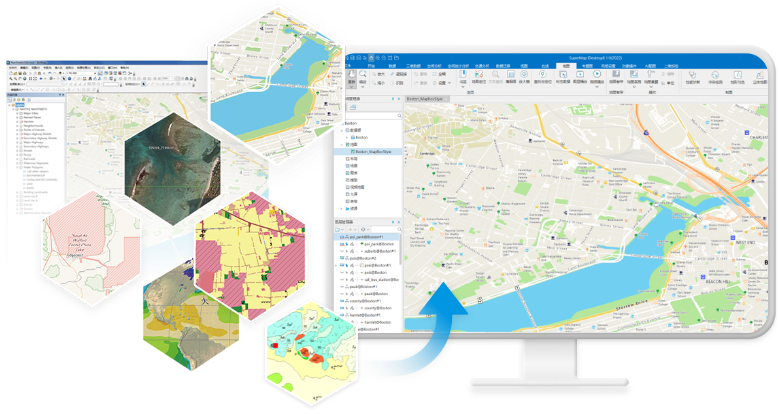
- Supports migration of ArcMap data, maps, symbols, layouts, tiles, and services.
- Supports migration of MapGIS data, maps, and symbols.
- Supports importing EDB data and creating maps based on EPS data.
- Provides ArcMap data quality inspection and map quality inspection.
Video Map
- Supports access to local and video streaming data, including protocols like HLS(m3u8), RTSP, RTMP, and HTTP-FLV.
- Supports fixed-point video and UAV video spatialization, and adds automatic spatialization after camera rotation;
- Supports overlay display of video and 2D data , and 3D data embedding fusion.
- Supports video detection and analyses such as target detection, tracking, speed measurement, and geo-fencing.
- Adds multi-tasking video detection to improve detection performance.
Machine Learning
- Supports image interpretation based on deep learning, and provides full-process tools such as sample production, model training, model reasoning, model evaluation and reasoning post-processing.
- Supports multi-scene image interpretation such as binary classification, object classification, general change detection, target detection, scene classification, etc.;
- Supports AI automatic labeling, based on SAM and other models to label the whole picture or click to label;
- Provides more efficient GPU parallel strategy, and supports single-card, multi-card, specified graphics device number training;
Image Processing
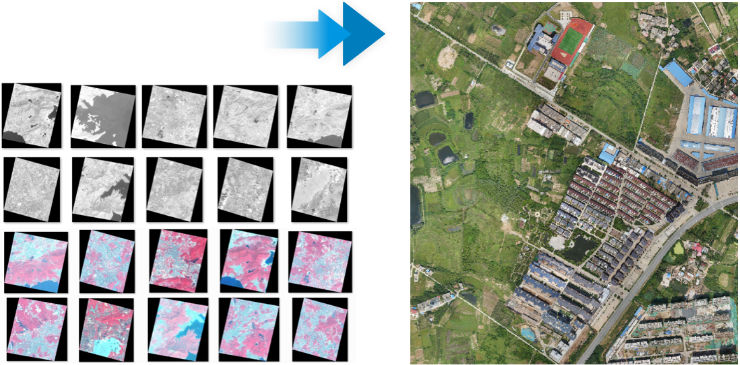
- Adds the ability to produce DOM, DSM, and DEM data products based on multi-source original satellite remote sensing images;
- Integrates AI technology to improve the accuracy and quality of image data production;
- Provides acceleration technologies such as GPU computing and multi-task parallelism to serve large-scale image high-performance processing;
- Supports automatic processing technology, covering the whole process of image production, management, processing analysis, sharing and publishing;
Geographic Knowledge Graph
- Supports connection to Yukon and Neo4j to save entities and relationship.
- Supports browsing graph entities with spatial attributes associated with map windows.
- Supports graph query and analysis;
- Provides data lineage capabilities, which can track and trace entities, and display them in the form of graphs.
Cloud-Client Collaboration
- Supports access to online map services such as OGC, MapWorld, OpenStreetMap, WorldTerrain, and SuperMap REST.
- Supports publishing maps, data, analysis and 3D scene services by one click.
- Supports the management of SuperMap Online /SuperMap iPortal data and services.
Plotting
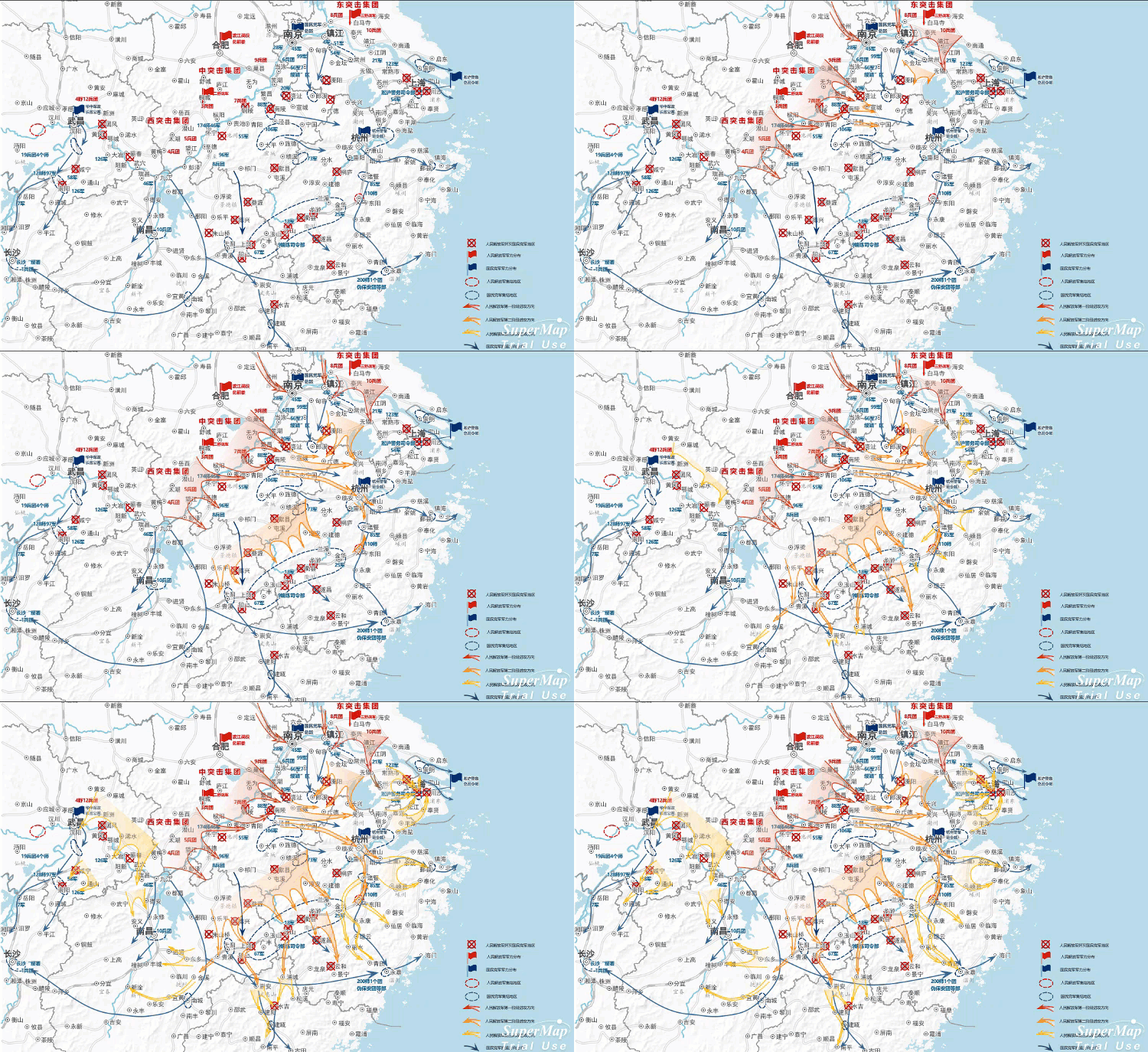
- Supports standard industry plotting libraries.
- Supports 2D and 3D integrated plotting.
- Supports plotting situational evolution production and playback capabilities including 7 classic animations.
3D
Provides abudant features to meet 3D application requirements from different industries, including spatial data management, scene display, information query, spatial analyses, and so on.
- Supports displaying and browsing multi-source data including image data, terrain data, BIM, underground pipelines, 3D model data, vector data, and 2D maps.
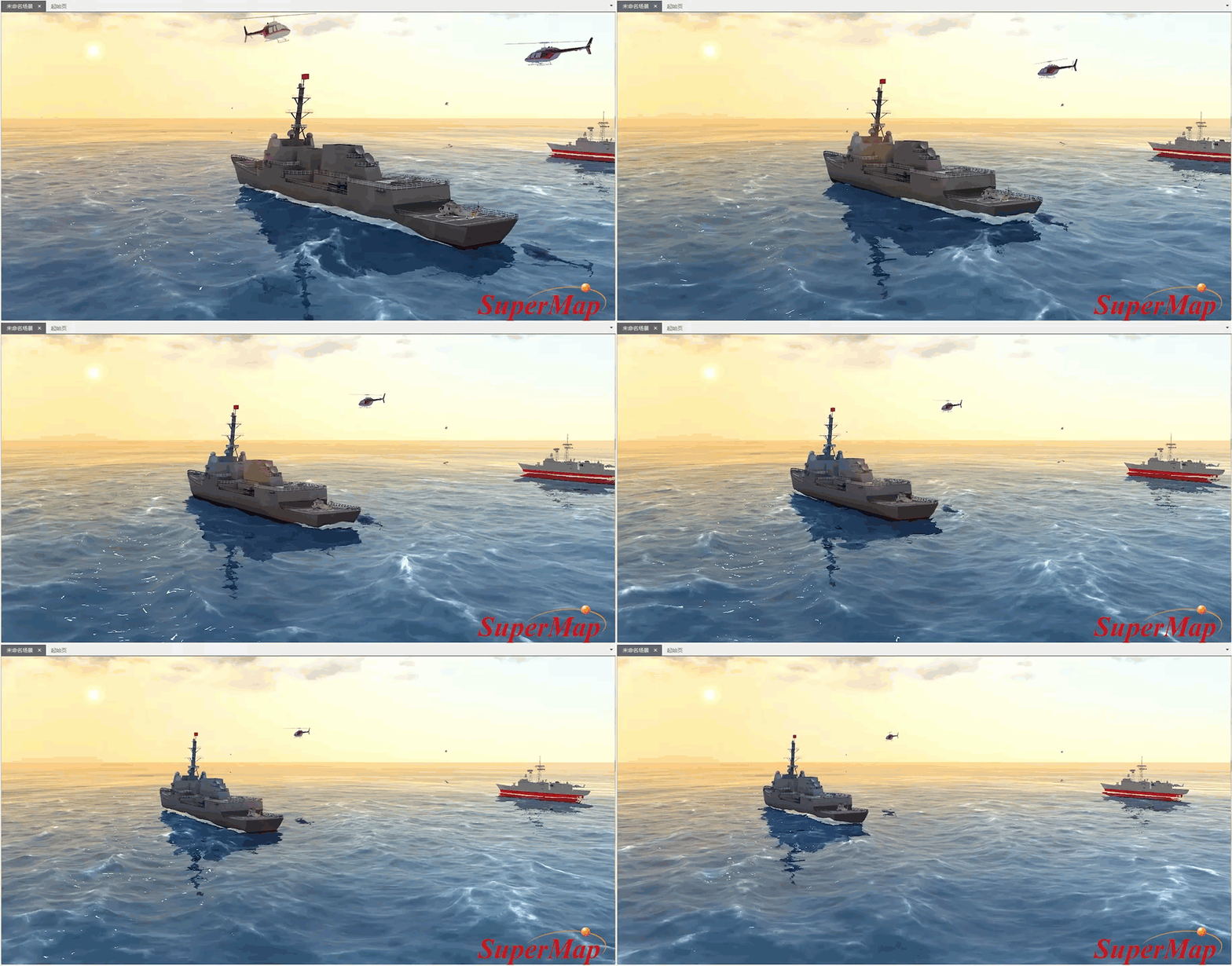
- Provides abudant cool 3D special effects, thereby displaying 3D data close to real geographic features like sun light, shadow, oceans, water bodies, 3D underground scene, 3D ocean effects, and particle special effects (fire, rain, snow, fountain, burst, fireworks, etc.).
- Supports multiple 3D spatial analyses including visibility analysis, viewshed analysis, skyline analysis, sunlight analysis, profile analysis, and so on. You can save the analysis results.
- The flying management feature supports specifying parameters of each station to implement flight simulation.
- Supports managing and displaying data like oblique photography models, BIM, and laser-point cloud.
- Supports creating geoprocessing modeler: stretch, rotated stretch, lofting, skeleton building, texture mapping, and so on.
- Provides spatial operations focused on oblique photography models including: polygon clip, polygon hole digging, polygon mosaic, construct closed stretch body, and so on.
- Provides spatial operations focused on TIN terrain including: polygon clip, polygon hole digging, polygon mosaic, construct closed stretch body, boolean operations, and so on.
Customization and Development
- Provides development templates and supports interactively building secondary development projects.
- Provides rich UI sample codes and business sample codes.
- Provides a working environment designer, drag-and-drop zero-code quick customization interface;
- Supports toolbox customization, and tool extensions can be performed through Java, Python, and Scala;
- Supports managing Python environments and dependent packages through Conda;
SuperMap iDesktopX Historical Versions